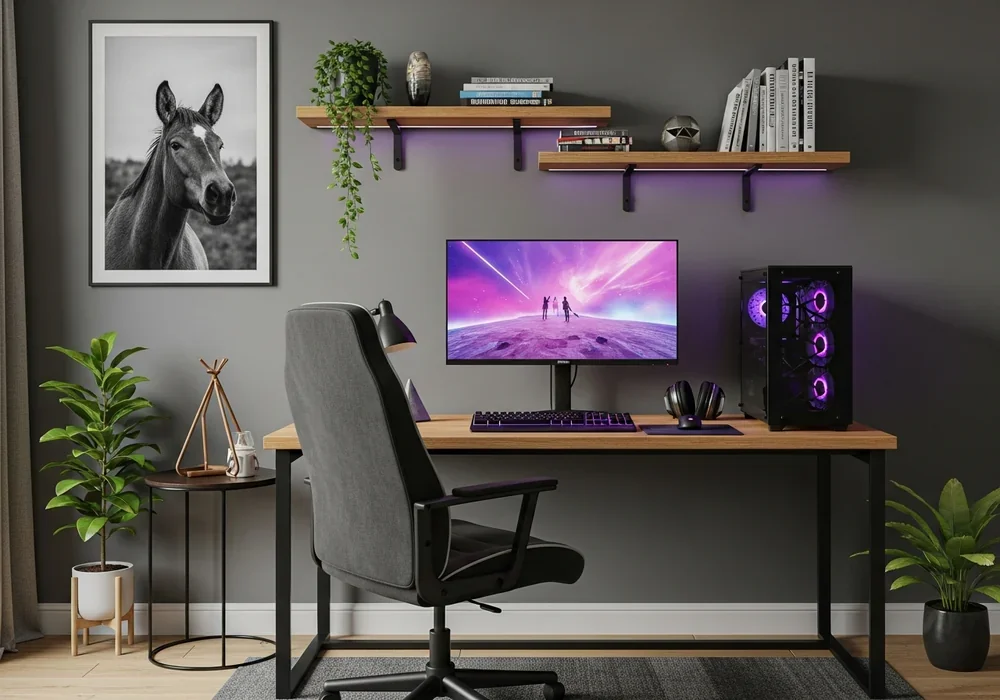
Have you ever spent thousands on a flagship GPU and a 240Hz monitor, only to lose a match because of a sudden ping spike? It is incredibly frustrating. You have the perfect desk, the most ergonomic chair, and a stunning gaming room interior. Yet, that one-second stutter makes all your high-end gear feel useless. As an editor at DesignHomes, I have seen countless setups that look like a dream but perform like a nightmare.
The truth is, a truly professional space is not just about the visuals. It is about the invisible infrastructure that supports your passion. We often focus so much on the ‘deskterior’ that we forget the ‘interior’ of the network itself. In this guide, we are going to bridge that gap. I will show you how to build a setup that looks clean, stays organized, and delivers the zero-lag performance you deserve.
Why your dream setup feels incomplete despite the high-end gear
Most people think a gaming room interior is finished once the RGB strips are glued to the back of the monitor. But look under the desk. Is it a nest of tangled black wires? That ‘spaghetti’ is not just an eyesore. It is a sign of a neglected foundation. When cables are tangled, heat builds up, and troubleshooting a simple connection issue becomes a multi-hour ordeal.
Design is not just what it looks like; it is how it works. A sleek room with a lagging Wi-Fi connection is like a Ferrari with a lawnmower engine. You need a stable ‘ping’ to stay competitive. Ping, or latency, is the time it takes for data to travel from your PC to the server and back. High-performance gaming requires this to be as low and stable as possible. If your network is an afterthought, your gaming experience will always feel incomplete.
The hidden frustration of ‘lag’ in a beautiful space
Imagine you are in a high-stakes 1v1 situation. Your screen is beautiful, the colors are vibrant, but suddenly your character teleports. That is jitter. Wireless signals are prone to interference from walls, furniture, and even your neighbor’s microwave. This is why we prioritize wired connections in a professional gaming room interior. It provides a dedicated lane for your data, free from the traffic jams of the airwaves.
Choosing the right nervous system: Why Cat6 is the gold standard
When you start shopping for cables, you will see Cat5e, Cat6, Cat6a, and even Cat8. It feels overwhelming, right? Let’s simplify this. For a standard home setup, Cat6 is your best friend. It supports speeds up to 10 Gbps over short distances, which is more than enough for any modern internet plan. More importantly, it features better insulation (a spline) to reduce crosstalk between wires.
| Cable Type | Max Speed | Max Bandwidth | Best Use Case |
|---|---|---|---|
| Cat5e | 1 Gbps | 100 MHz | Basic home use |
| Cat6 | 10 Gbps | 250 MHz | Pro Gaming Room Interior |
| Cat6a | 10 Gbps | 500 MHz | Long distances / Servers |
| Cat8 | 40 Gbps | 2000 MHz | Data centers (Overkill) |
Why not Cat8? Honestly, it is too thick, too expensive, and the connectors are difficult to manage. Cat6 provides the perfect balance of flexibility for cable management and the high-speed performance needed for 4K streaming and competitive gaming. It is the ‘sweet spot’ for any serious designer. Using Cat6 ensures that your hardware isn’t being bottlenecked by a cheap $2 cable you found in a drawer.
Stealth placement: Positioning your router for peak performance and aesthetics
The router is often the ugliest piece of tech in the room. Those spider-like antennas do not exactly scream ‘sophisticated design.’ However, shoving it into a Professional Podcast Studio”>into a wooden cabinet is a recipe for disaster. Wood and metal are notorious for blocking signals. So, where do we put it in a gaming room interior?
Think vertically. Placing your router on a high shelf or mounting it to the wall can significantly improve coverage. If you must hide it, use a ventilated decorative box or place it behind a mesh screen. This allows the heat to escape and the signals to breathe. Also, remember the antenna rule: if you have two, point one vertically and one horizontally. This covers more angles for your mobile devices while your PC stays locked in via a wired Cat6 connection.
The art of hiding the ‘black box’ without losing signal
I often suggest using a ‘Network Hub’ strategy. Place your main router in a central location, but use a small, unmanaged switch under your desk. This way, only one long cable runs to your desk, and that switch handles your PC, console, and streaming deck. It keeps the long-distance clutter to a minimum while maintaining that glorious wired stability. It is a professional trick that saves both your sanity and your room’s aesthetic.
The zero-wire deskterior: Professional cable management secrets
Now, let’s talk about the most satisfying part of a gaming room interior: making the wires disappear. A clean desk is not just for Instagram photos; it clears your mind and allows you to focus on the game. To achieve this, you need the right tools. Forget about standard zip ties; they are permanent and frustrating. Use Velcro straps instead.
- Cable Trays: Mount these to the underside of your desk. They act as a gutter for your power strips and heavy bricks.
- Neodymium Magnets: These are life-changers. Attach a small magnet to your cable ends to keep them snapped to the metal legs of your desk when not in use.
- J-Channel Raceways: Perfect for running cables along the back edge of a desk to hide them from every viewing angle.
Start by unplugging everything. I know, it sounds tedious. But starting from scratch is the only way. Group your cables by destination. Power cables go in one bundle, data cables (like your Cat6) in another. This prevents ‘electromagnetic interference’ which can occasionally mess with your signal if the cables are poor quality. Route them through a tray, and suddenly, your floor is clear. You can finally vacuum under your desk without fear!
Optimization beyond the physical: Software tweaks for a stable ping
Even with the best gaming room interior and hardware, software can be a bottleneck. Have you checked your router’s QoS (Quality of Service) settings lately? This feature allows you to tell your router: “Gaming traffic is more important than my sister’s Netflix stream.” By prioritizing your PC’s MAC address, you ensure that your ping stays low even when the house is busy.
Also, don’t forget your drivers. An outdated network card driver can cause ‘micro-stutters’ that feel like lag. Make it a habit to check for updates once a month. Lastly, disable ‘Windows Update Delivery Optimization.’ This feature uses your upload bandwidth to send updates to other people on the internet. It is a silent killer of gaming performance. Turn it off, and you will see a much more consistent connection.
Lighting and layout: Harmonizing RGB with your network path
Lighting is the soul of a gaming room interior. However, LED controllers and power adapters add to the wire chaos. To keep it clean, use smart LED strips that can be controlled via software. This eliminates the need for extra physical remotes and bulky infrared receivers. When installing monitor arms, always leave a bit of ‘slack’ in your cables. I have seen many people snap their DisplayPort cables because they tucked them too tightly and then tried to rotate their monitor.
Consider the color of your cables. If you have a white themed setup, buy white Cat6 cables. If your walls are dark, go with black or braided grey. These small choices make the cables blend into the background rather than standing out. When you combine smart lighting with stealthy wiring, the room feels larger, more intentional, and significantly more professional.
Conclusion: When performance meets design
Creating a world-class gaming room interior is a journey of balancing two worlds: the visible and the invisible. We want the beauty of a minimalist desk, but we need the raw power of a wired network. By choosing Cat6 cables, mastering the art of the cable tray, and optimizing your router settings, you create a space that doesn’t just look like a pro’s room—it performs like one.
To summarize, start with your foundation. Get those wires off the floor, prioritize your gaming traffic through QoS, and never settle for Wi-Fi when a Cat6 cable is an option. Your K/D ratio will thank you, and your room will become a sanctuary of focus and victory. Now, go grab some Velcro straps and start your transformation!
자주 묻는 질문
Is Cat7 or Cat8 better for gaming than Cat6?
While Cat7 and Cat8 offer higher theoretical speeds, they are unnecessary for home gaming. They are thicker, harder to bend for cable management, and more expensive. Cat6 supports up to 10Gbps, which is far beyond current home internet speeds, making it the most practical choice for a clean interior.
How do I hide cables if my desk is in the middle of the room?
Use floor cord protectors or ‘raceways’ that match your flooring color. Alternatively, you can run cables down a desk leg using fabric cable sleeves that blend in with the furniture’s finish.
Does cable management actually improve PC performance?
Indirectly, yes. It improves airflow around your components and prevents dust buildup. More importantly, it reduces the risk of cables being pulled or damaged, ensuring a consistent physical connection.

Kumar Tomar is a distinguished writer at DesignHomes.in, specializing in home design and interior decor. Holding a degree in Interior Design from the National Institute of Design, Kumar combines formal education with practical experience to deliver insightful and authoritative content. With over 8 years in the industry, he is known for his in-depth knowledge of design trends and his ability to provide actionable advice for homeowners. Kumar’s expertise and dedication to high-quality writing make him a trusted resource for those seeking to enhance their living spaces. Follow Kumar on Instagram for the latest design inspiration and tips.